
Timesheets that arrive already checked
People log time against the tasks they are assigned to, and the system checks each entry before it reaches the approver.
- Weekly timesheets by project and task
- Six checks before approval
- Web and phone
Log time the way you work
- Enter hours by project and task for the week, or start a timer on an entry.
- Change or delete an entry before it is approved.
- Log from a phone as easily as from a desk.
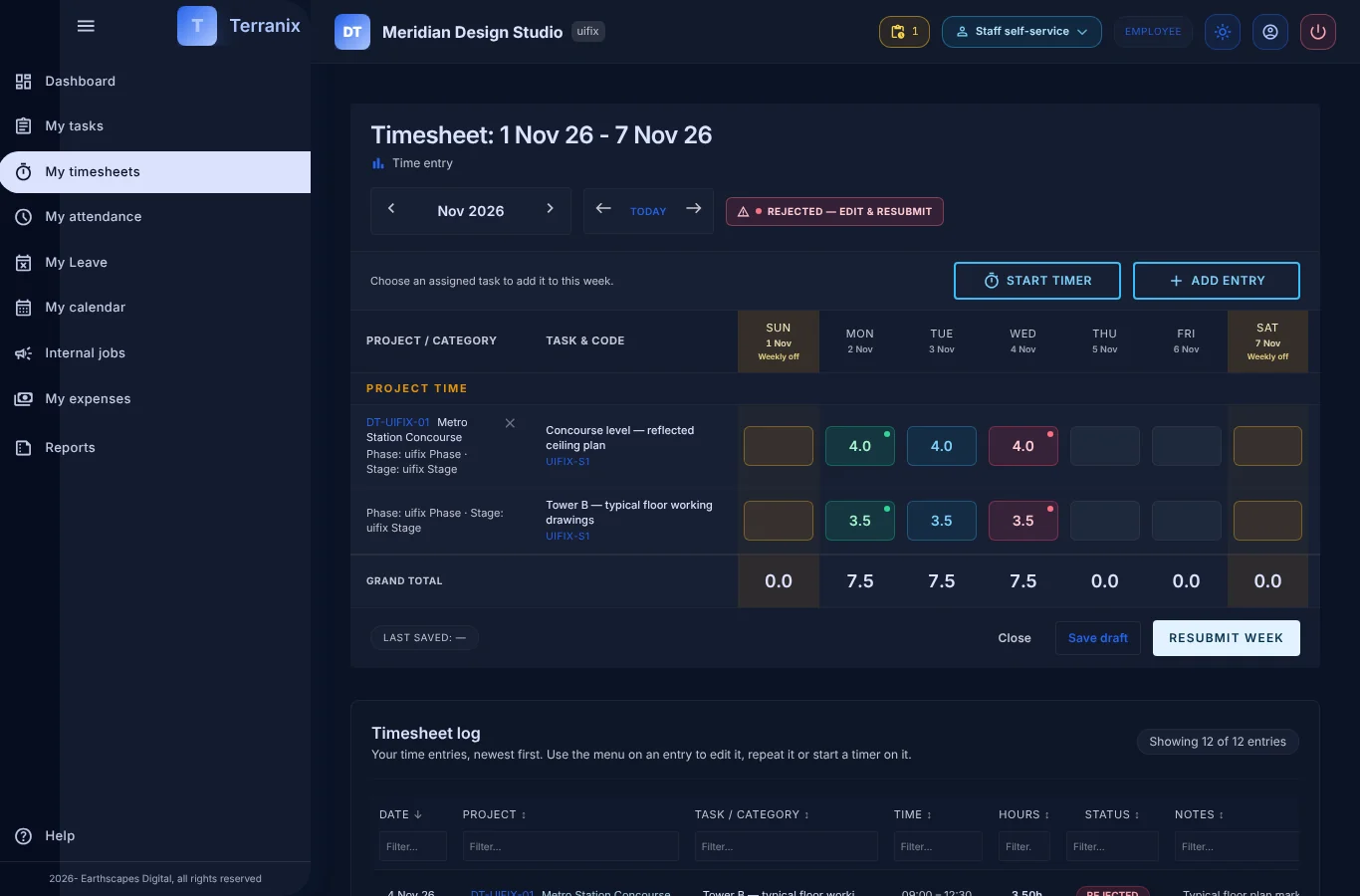
Checks that save the chase
- Only tasks assigned to you, inside their dates.
- You must be on the project team, and checked in first.
- A daily cap and checklist rule are enforced too.
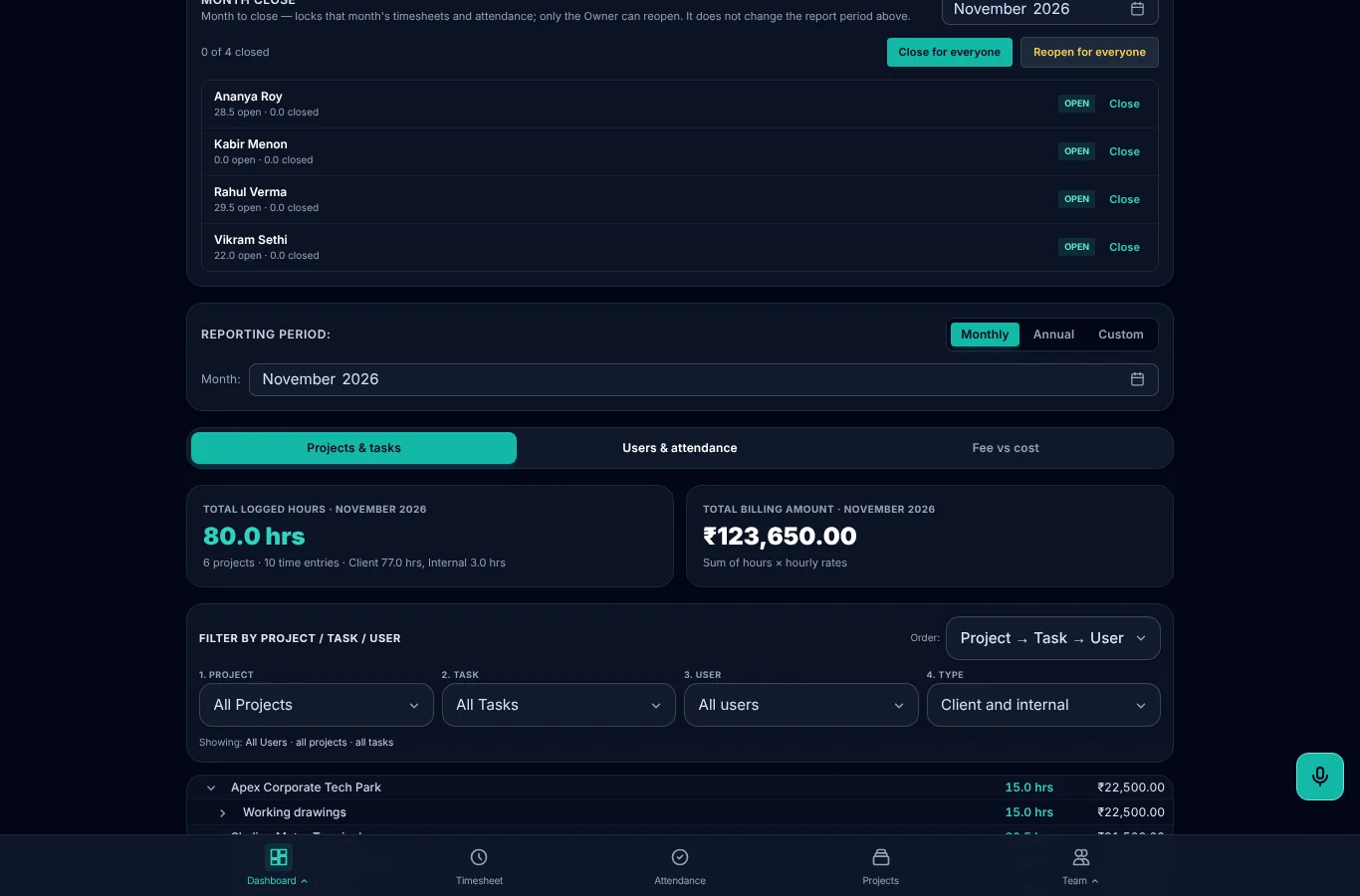
Hours become answers
- See hours by project, person and period.
- Export to Excel at any time.
- Approved time is ready for the next step.
Frequently asked questions
Can people log time on any project?
No. They log time on tasks assigned to them, within the task and team dates. That keeps the data clean.
Is there a timer?
Yes. Start a timer on a timesheet entry, on the web or on a phone, or add hours by hand. You can also repeat an earlier entry.
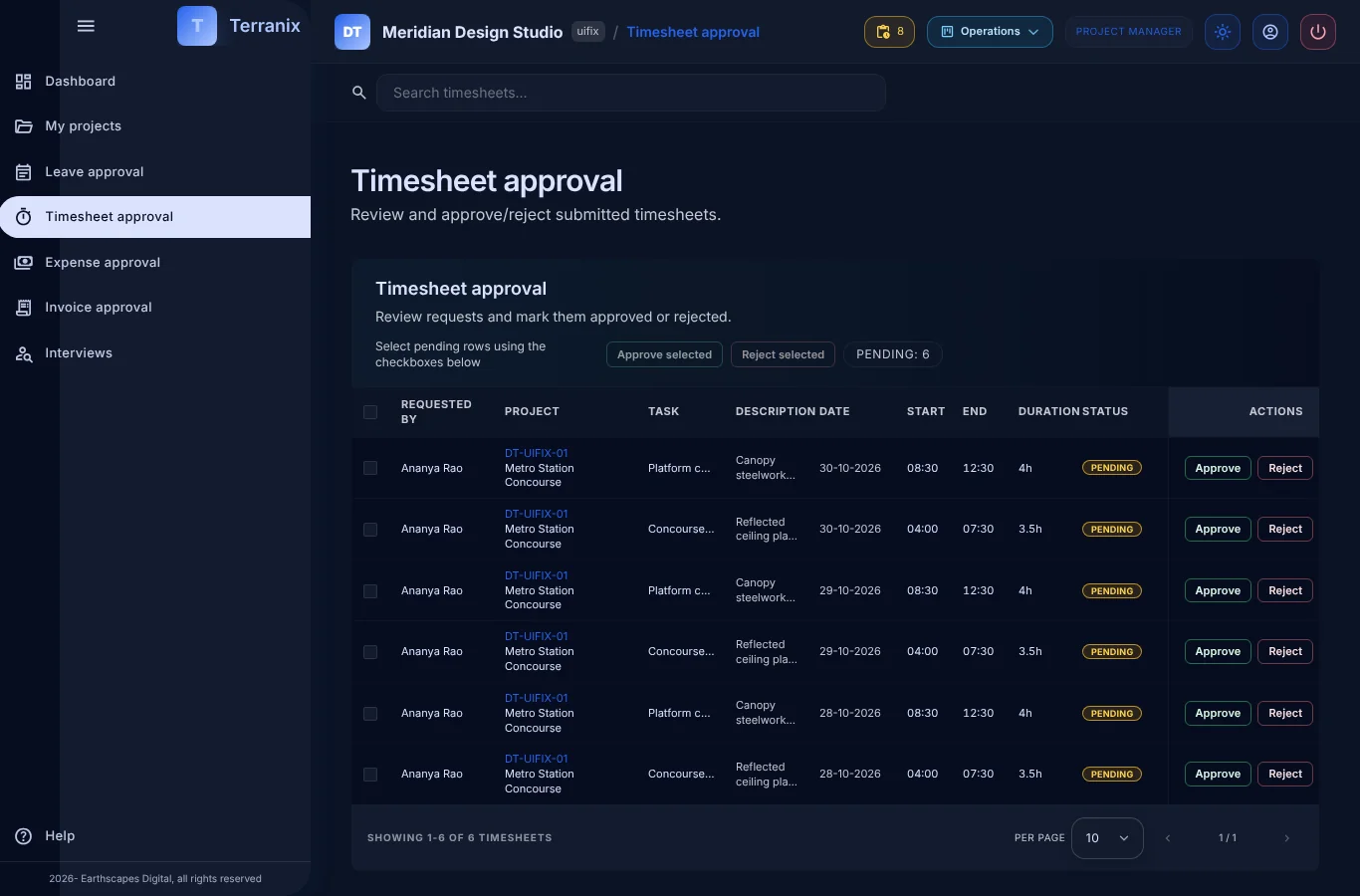
Can managers approve in bulk?
Yes. Managers can select several pending entries and approve or reject them together, or decide one at a time.